 AUD
AUD


ACCESING YOUR FILES
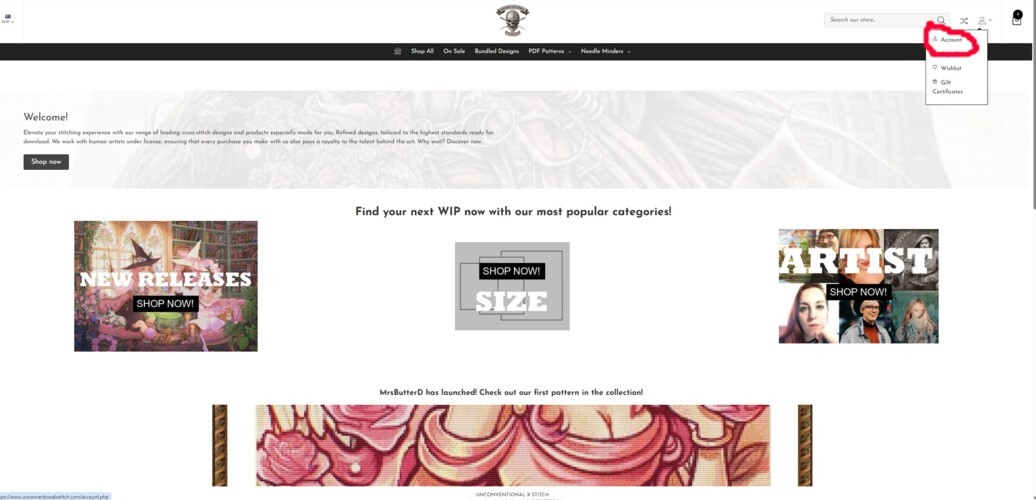
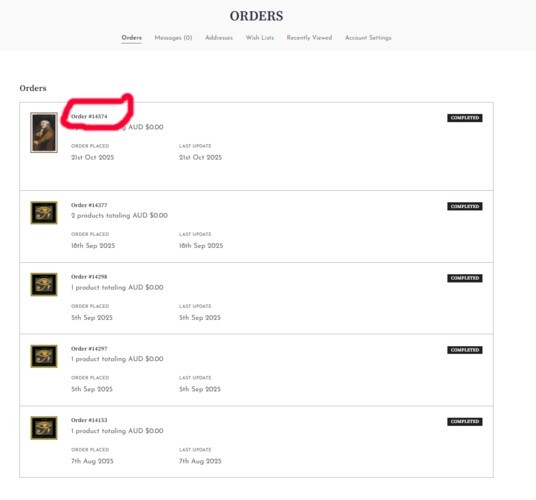
An account is requried in order to make a purchase. After completing the check-out process you can click account, orders and then the purchase number you want to access. It is recommended to download and backup immediately after you purchase especially if what you bought is retiring.
BEFORE YOU PROCEEED TO DOWNLOAD
- Ensure you have plenty of battery charge left on your device
- Ensure you have a stable internet connection
- Avoid using less common browsers. Google chrome, Microsoft Edge and Mozilla Firefox have excellent track records for downloads.
- Make sure you have the time to download
- Avoid double clicking or tapping your download links, please be patient and only click or tap once.
DOWNLOAD YOUR FILES ASAP AND ENSURE YOU HAVE A STABLE INTERNET CONNECTION. ENSURE YOU ARE ON THE DEVICE YOU WISH TO SAVE YOUR FILES TO AT THE TIME OF DOWNLOADS.
File Types
Folder - Zip Folder
Pattern file type - PDF
Bonus conversion sheet - Excel
Download Limits / File Access Periods
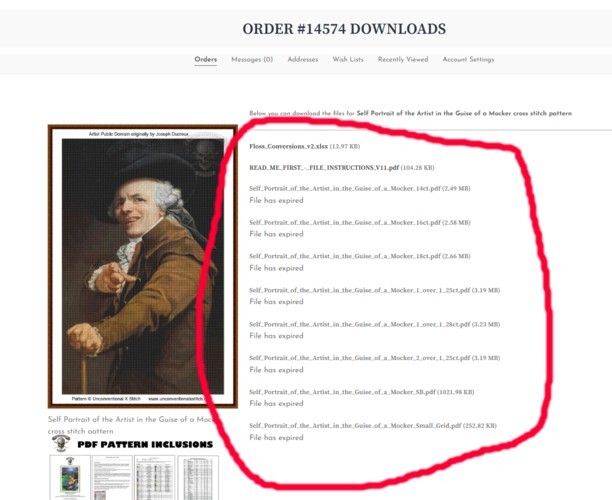
Ensure you download immediately after purchase and backup your files. We also recommend creating a master hardcopy in case the worst occurs with your digital hardware.
Each purchase is locked to 2x total downloads.
STEPS TO ACCESS FILES
First go to your account
Next, click on the order you want to access
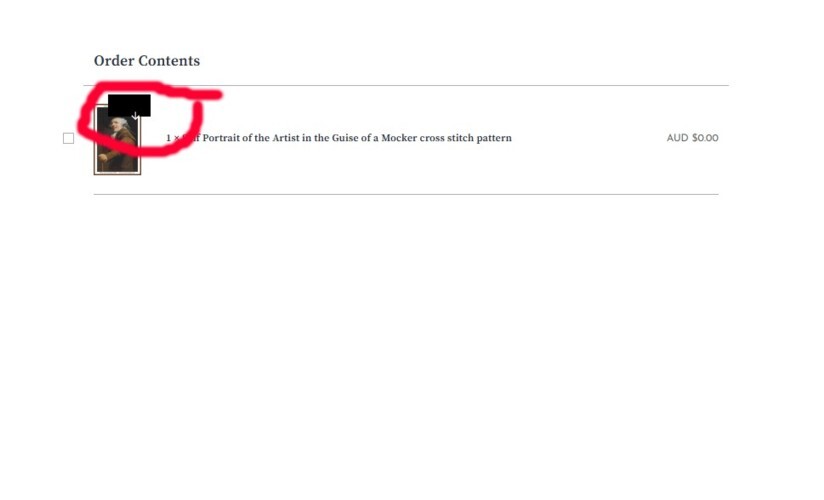
Now click on the box/arrow
You can now download your files. Ensure to download right away before your files expire.
TROUBLESHOOTING TIPS
- Can't see your downloaded zipfolder? Do a device search using the name of the zipfolder you will see in your downloads list.
- Zipfolder did not save correctly on first download? Check your downloads list (this list can be found depending on the browser you are on, in different places. On chrome, it is found using the three dot menu at top right and find the downloads menu which will show all your recent downloads and what you have done with them or if they were successful etc.
- Ensure you have a stable internet connection and that your device allows downloads.
- Ensure you are on the device you want to save your files to/use them on.